Chevstrap
Chevstrap represents a groundbreaking open-source launcher specifically designed for Android users seeking greater flexibility in their Roblox mobile gaming sessions. Unlike the standard Roblox client, this app empowers players to fine-tune their gaming environment through Fast Flags (FFlags) modification, third-party integrations, and comprehensive customization options.
Developed by FrosSky using Java, Chevstrap has garnered significant attention on GitHub with over 58 stars from the Roblox mobile community. The project’s transparent development approach and active maintenance demonstrate its commitment to delivering a superior mobile gaming experience.
Transform your gameplay today download Chevstrap and unlock unprecedented control over your Roblox sessions.
The Problem with Standard Roblox Mobile
Mobile gamers frequently encounter frustrating limitations when using the official Roblox app on Android devices. Common pain points include:
- Restricted ability to adjust graphic rendering and performance settings
- Zero access to FFlags configuration for optimization
- Suboptimal frame rates (FPS) on mid-range and older devices
- Absence of diagnostic tools for connection troubleshooting
- No support for external tool integration
Chevstrap addresses these challenges head-on, transforming how players interact with Roblox on Android. This launcher provides comprehensive control that the standard app simply cannot match.
Why Mobile Players Choose Chevstrap
This alternative launcher bridges the gap between PC flexibility and mobile convenience. Players who download Chevstrap gain access to:
Performance Enhancement – Modify FFlags to boost FPS and optimize rendering based on your device specifications
Advanced Customization – Configure settings that remain hidden in the default Roblox mobile app
Diagnostic Tools – Access detailed connection logs and server information for troubleshooting
Integration Support – Connect external tools to expand functionality beyond basic gameplay
Universal Compatibility – Functions perfectly on both rooted and non-rooted Android systems
Rather than settling for a one-size-fits-all approach, Chevstrap empowers you to create a personalized mobile Roblox experience tailored to your preferences and hardware capabilities.
Features of Chevstrap
FFlags Editor for Performance Tuning
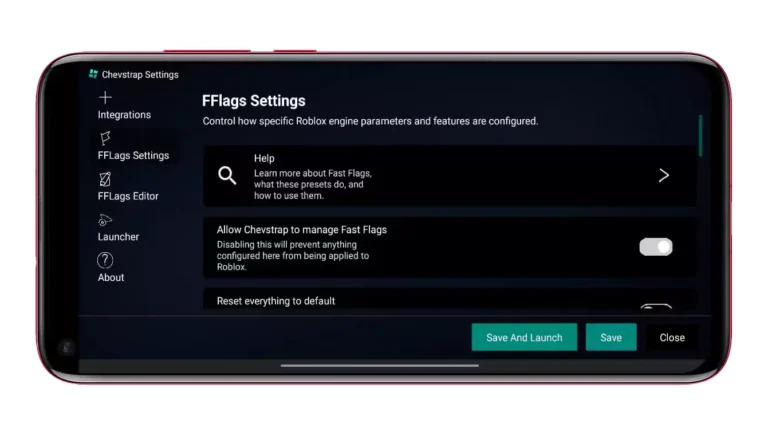
Fast Flags serve as configuration switches within the Roblox client, controlling various features and behaviors. Chevstrap’s FFlags editor unlocks these hidden settings, allowing you to:
- Adjust graphic rendering quality for visual enhancement or better performance
- Optimize game mechanics for smoother FPS delivery
- Test experimental features before they reach official release
- Configure advanced options unavailable in standard settings
Important: Modify FFlags carefully, as incorrect configurations may cause unexpected behavior during game updates.
Expandable Integration System
The integrations page connects Chevstrap with complementary tools and services, extending capabilities far beyond simple game launching. This modular approach ensures you can customize your setup according to specific needs while maintaining a clean, user-friendly interface.
Fair Play Protection
Built-in anti-cheat mechanisms ensure that enhanced customization doesn’t compromise competitive integrity. You can leverage Chevstrap’s powerful features while maintaining compliance with Roblox’s fair play standards, protecting your account from potential issues.
Cross-Configuration Android Support
Chevstrap operates flawlessly regardless of your device’s root status. Intelligent detection systems automatically adapt to different configurations, including devices running app cloners or custom ROMs. This versatility ensures that virtually any Android user can benefit from Chevstrap’s enhanced functionality.
Comprehensive Session Monitoring
Access real-time server statistics, connection diagnostics, and detailed notification tracking during gameplay. These transparency features provide insights that the standard Roblox mobile app keeps hidden, making it significantly easier to identify and resolve performance bottlenecks.
Lightweight Yet Powerful
Despite its extensive feature set, Chevstrap maintains a minimal storage footprint. Careful engineering ensures that even older Android devices can run the launcher smoothly without sacrificing system resources or overall device performance.
Getting Started with Chevstrap
Download and Installation
The latest release (version 1.9 and subsequent updates) is available through official channels. To ensure you’re getting the authentic Chevstrap app:
Step 1: Navigate to the official GitHub repository or project website
Step 2: Locate the most recent release version
Step 3: Download the APK file to your Android device
Step 4: Enable installation from unknown sources in your device settings if prompted
Step 5: Launch the installer and follow the on-screen instructions
Always obtain Chevstrap from verified sources to avoid modified or malicious versions that could compromise your device security.
Initial Configuration
After installation, Chevstrap guides you through basic setup:
- Configure your preferred FFlags for optimal performance
- Set up any desired integrations
- Adjust notification preferences
- Review anti-cheat settings
The launcher’s intuitive interface makes customization straightforward, even for users new to advanced mobile Roblox configuration.
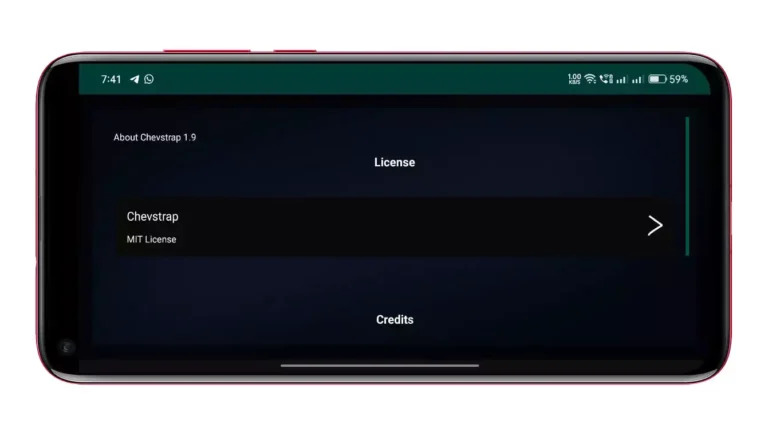
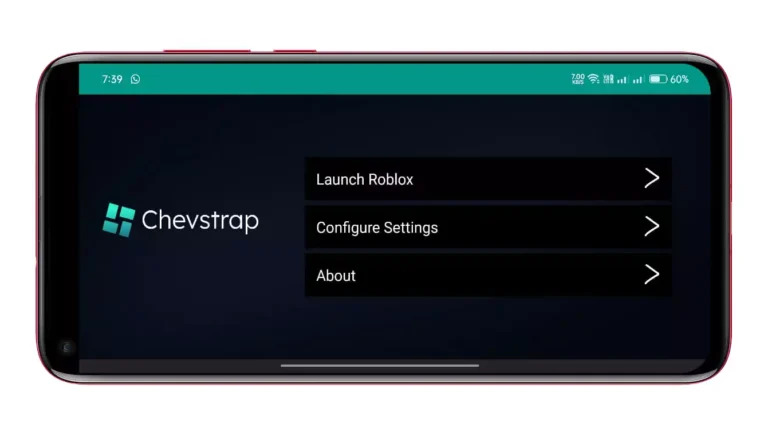
Screenshots

Comparing Chevstrap to Bloxstrap
While Bloxstrap revolutionized the PC Roblox experience, Chevstrap brings similar innovation to mobile platforms. Both launchers share core philosophies:
- Open-source development for community transparency
- Extensive customization through FFlags manipulation
- Enhanced functionality without compromising game integrity
- Active development and community support
The key difference? Chevstrap is built specifically for Android, addressing the unique challenges and opportunities of mobile gaming rather than simply adapting PC-focused features.
Version Updates and Development
The Chevstrap development team regularly releases updates to improve functionality, add requested features, and ensure compatibility with the latest Roblox client versions. Version 1.9 introduced several performance enhancements and expanded integration options.
To stay current with the latest release:
- Watch the GitHub repository for update notifications
- Check the official website periodically
- Enable automatic update checks within the app settings
Each version undergoes community testing before release, ensuring stability and reliability.
Community and Support
Chevstrap’s growing community actively contributes to the project’s development through:
- Bug reports and issue tracking on GitHub
- Feature suggestions and improvement ideas
- Documentation contributions
- User guides and tutorials
If you encounter issues or have questions, the community-driven support system provides helpful resources and assistance from experienced users.
Frequently Asked Questions (FAQs)
Is Chevstrap safe to use, or could it contain malware?
Chevstrap maintains complete safety through its open-source nature. The entire source code is publicly accessible on GitHub, allowing security researchers and community members to audit for malicious content. Similar to how Bloxstrap operates, any harmful code would be immediately identified and reported by vigilant users. Always download from official sources to guarantee authenticity.
Will using this launcher result in a ban?
No. Chevstrap functions as a bootstrapper that doesn’t interfere with Roblox’s anti-cheat systems. It enhances the launch process without modifying game files or injecting code into the Roblox client itself. This approach mirrors Bloxstrap’s methodology, keeping you safe from account penalties.
Can you implement Discord Rich Presence integration?
Discord Rich Presence isn’t currently available in Chevstrap. While many users have requested this feature, implementing Discord’s API requires substantial development work. If this functionality interests you, consider submitting a feature request through official channels. The development team prioritizes additions based on community demand and technical feasibility.
Does my device need to be rooted?
Absolutely not. Chevstrap runs on standard Android devices without requiring root access, custom modifications, or system-level permissions. The app works seamlessly on stock Android configurations.
Will Chevstrap boost my in-game FPS?
Chevstrap optimizes the launcher and flag management systems, but doesn’t directly modify game rendering engines. FPS improvements depend primarily on your device’s hardware capabilities and the specific FFlags you configure. Strategic flag adjustments can enhance performance, but results vary across different devices.
What Android version is required?
Chevstrap supports a wide range of Android versions, ensuring compatibility with both newer flagship devices and older hardware. Check the official GitHub page for specific version requirements.
Conclusion
Chevstrap stands as the premier launcher for mobile Roblox enthusiasts who refuse to accept the limitations of the standard app. By providing FFlags editing, integration capabilities, anti-cheat protection, and sophisticated customization options, this Android-specific tool elevates mobile gaming to new heights.
The combination of open-source transparency, active development, and community support makes Chevstrap a trustworthy choice for players seeking more from their Roblox mobile experience. Whether you’re optimizing FPS on an older device or exploring advanced customization options, Chevstrap delivers the tools you need.
Ready to experience Roblox mobile gaming without compromises? Visit the official website or GitHub repository to download Chevstrap today. Join thousands of satisfied users who have already discovered what this game-changing launcher can do for their Android gaming sessions.
Your enhanced mobile Roblox adventure awaits, download now and take control of your gaming experience!